
2020 Announcements
2020-12-18 Changes to date_field Validation
As of December 18th, 2020, we have added validation on the date_field attribute.
Previously, we did not validate the date_field, and if it was other than created_at or updated_at,
we would allow the query update to proceed, but the result was an empty response.
Now if other values as created_at or updated_at are passed in date_field, we just ignore them, and filters are not applied.
If other params are correct and records exist, they should appear in the response.
If you have any questions or concerns please contact us at support@maxio.com, and we’ll be glad to assist.
2020-07-13 API Subscriptions XML Response Change
As of July 13th, 2020, the XML response for reading multiple subscriptions has changed. Before, dates and integers with no value still displayed a type:
<trial-started-at type="datetime" nil="true"/>
<next_product_id type="integer" nil="true"/>
Now, the type will no longer be returned for a nil field.
<trial-started-at nil="true"/>
<next_product_id nil="true"/>
Note: This same change was already previously made when reading a single subscription in 2018.
2020-04-20 New API Authentication
As of April 20 2020, the new authentication method will be enabled. Up to now all available resources were at the level of the site, therefore creating the API Key per site was a sufficient solution. To share resources at the seller level, the new authentication method was introduced which is user authentication. Obtaining the User API Key is described below.
Enable API Token View for Admin and Team Member
API Token View is a form with the API settings in the user#edit page. Support, Manager or the Owner of the Seller all have the API Token View enabled by default, in addition, they have the possibility to manage who has access to the API Token View. In case the site Admin or a Team Member leaves the company the API Key can be easily deactivated.
In order to enable the API Token View, the support/owner should go to the user's list, click edit on the selected user and mark the checkbox. The API Token View will be enabled for the selected user.
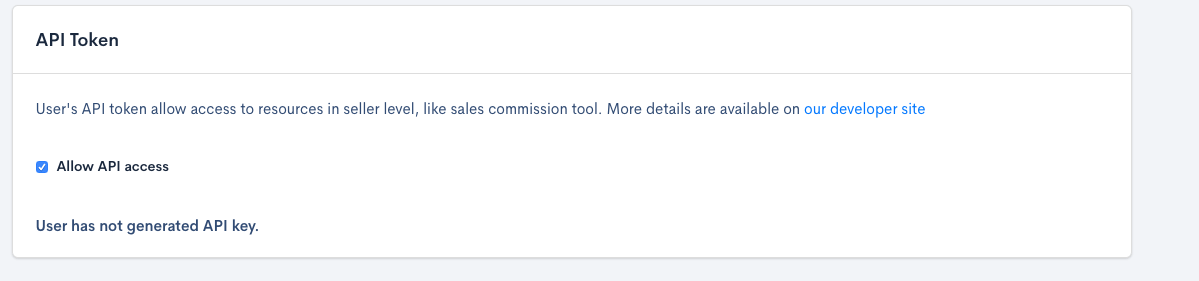
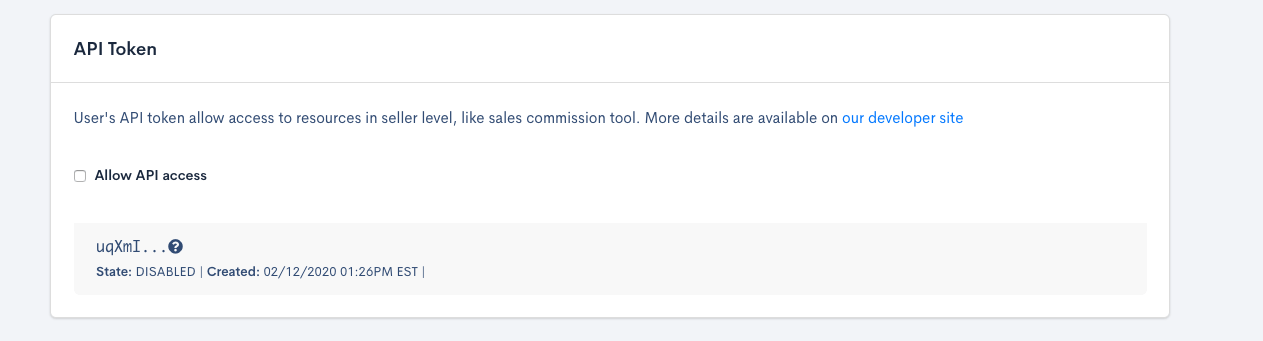
API Token View access can be denied, by unchecking the checkbox. The API Key will be automatically DISABLED, and the user will not have access to the API Token View anymore.
Generate the API Key
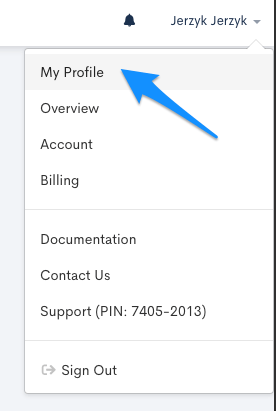
When the API Token View is enabled the generation of the API Key is possible. To do so, go to your profile:
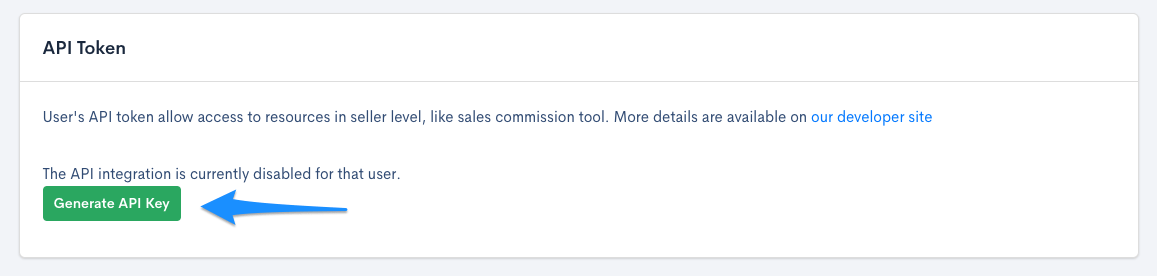
Scroll to the API Token View and click "Generate API Key"
You'll be directed to the page with a new API Key which should be copied. It will be used to get Sales Reps data.
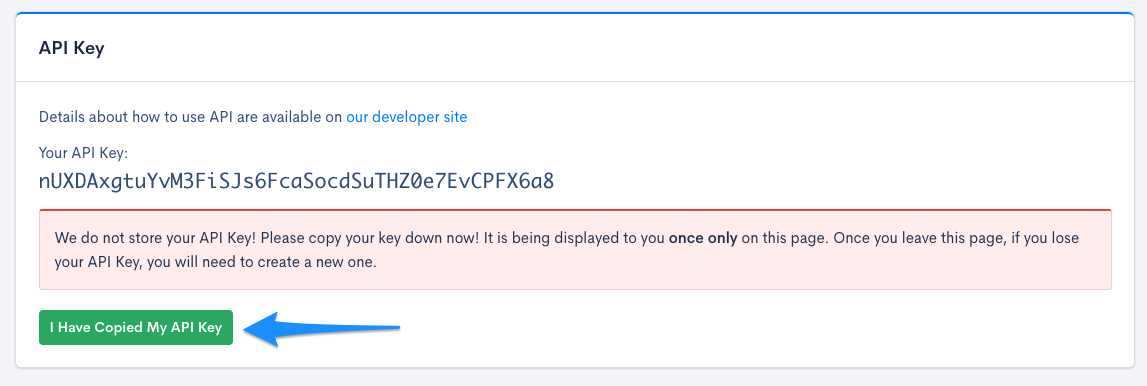
After this step, we are ready to perform seller level API queries.
Deprecate the API Key
Deprecating the API Key is possible on the API Token View
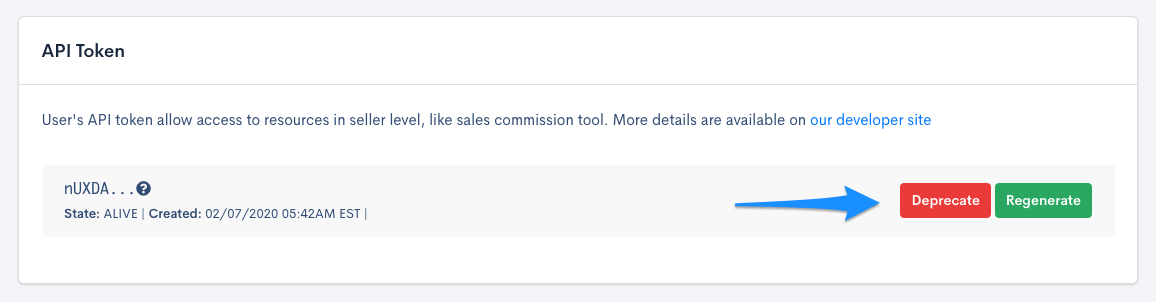
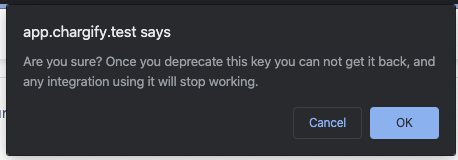
By clicking the “Deprecate” button. Additional popup with confirmation will be displayed
Deprecate option is also available for Chargify Staff and Owner of the Seller. It can be especially useful when API Key is compromised.
Regenerate the API Key
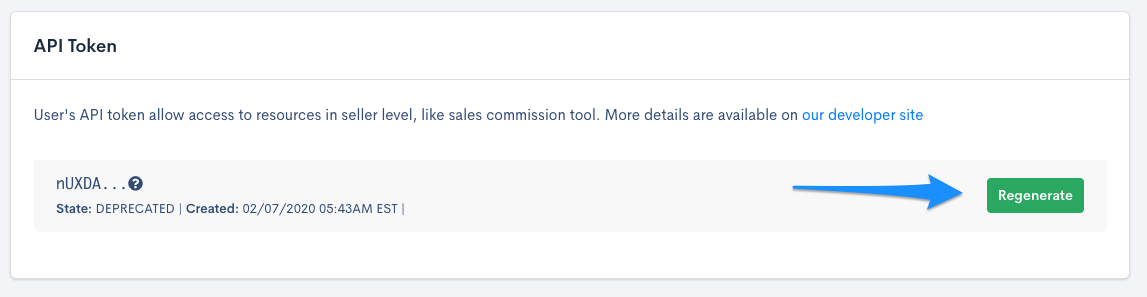
Another option when the key has been compromised is to regenerate the API Key. This is done in the API Token View by clicking on the “Regenerate” button. The old API Key will be deprecated and only the new key will be valid.
In order to retrieve sales commission resources, check out sales commission API documentation.
2020-04-01 Coupon Endpoint Change
As of April 13th, 2020, the coupon endpoint in the API will change. Previously when retrieving coupons from this endpoint, only coupons from the default product family would be returned. The default product family is the one that was created first for the site, provided it has not been archived.
Moving forward, retrieving coupons from this endpoint will return all coupons for a given site. Click here to review documentation for the API endpoint that we will be updating.
With this in mind, it's recommended to review your integration with Chargify and determine whether any calls retrieving coupons need to be updated. Because more coupons may be returned with this change, we recommend using our pagination functionality. The default number of coupons returned per page would be 30. The maximum allowed value is 200 results per page.
In order to only retrieve coupons from a specific product family, the endpoint documented here may be used.
2020-01-27 Product Price Point Order
As of January 27th, 2020, we will be updating the API response when fetching a list of price points for a product.
Moving forward the GET request will now always be returned in DESC order of created_at, ensuring results are consistent across pages.
Previously if you included page=1 in your request the first result of the response was the default price point for that product.
This will no longer be the case and the default will appear based on its created_at date and time.
2020-01-16 Coupon Validation Changes
On December 17th, 2019, we made an update to how coupon pricing is validated. Previously we would allow a coupon to be created with a negative amount. If a coupon with a negative amount was applied to a subscription it would get ignored and not attempt to generate a discount, which is the expected behavior.
In order to bring coupon validations in line with the expected behavior, we no longer allow coupons to be created with a negative amount.
There were a small percentage of these coupons that we've updated from a negative amount to 0 in order to maintain the existing behavior but keep them valid.
If you have any questions or concerns please contact us at support@maxio.com, and we’ll be glad to assist.